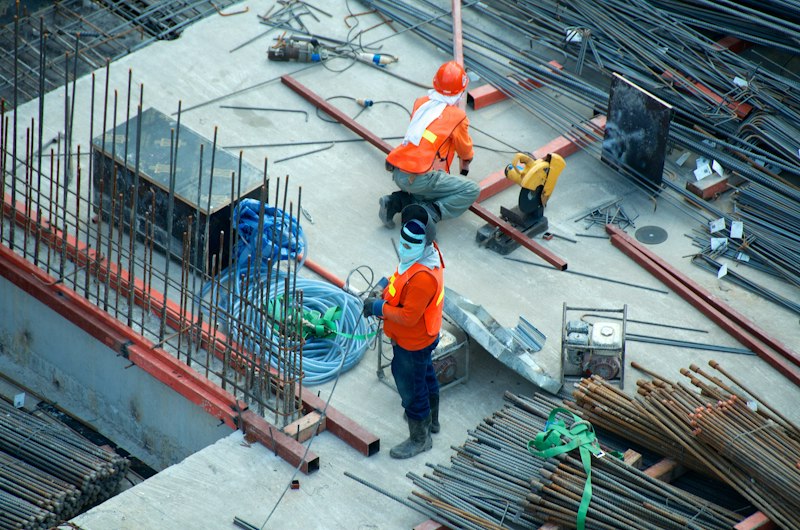
Taking a photo on your phone proves something existed. But a photo with a GPS location, timestamp, weather conditions, and tagged area proves something existed at that exact place, at that exact time, under those exact conditions. That's the difference between a phone gallery and evidence.
What the Site Diary Captures
When you tap "Site Diary" in your project, Guardian records:
- GPS coordinates — one tap captures your exact position (with accuracy reading). This proves you were physically on site.
- Weather data — pulled automatically from your GPS location using live weather APIs. "It was 34°C and sunny when the concreter poured the slab" is relevant when cracks appear.
- Area tags — tap which rooms or areas you inspected (Kitchen, Bathroom, Exterior, etc.)
- Trade tags — which trades were on site (Electrician, Plumber, Tiler, etc.)
- Workers on site — how many people were working
- Observations — what you saw, in your own words
- Concerns — issues that need attention
- Follow-up actions — what needs to happen next
- Voice notes — paste a transcription from your phone's voice recorder
Why Weather Matters
Concrete poured in extreme heat without proper curing can crack. Brickwork laid in rain can develop efflorescence. Waterproofing applied below minimum temperature may fail. When your site diary records the weather at the time of construction, you have evidence that connects conditions to defects.
From Diary to Dispute Pack
Every site diary entry feeds into your Activity Log and is available in your Tribunal Evidence Export. When you combine GPS-stamped site visits with timestamped defect photos and a formal escalation chain, you have a case that's hard to argue against.
Open your project and record your next site visit with evidence mode.